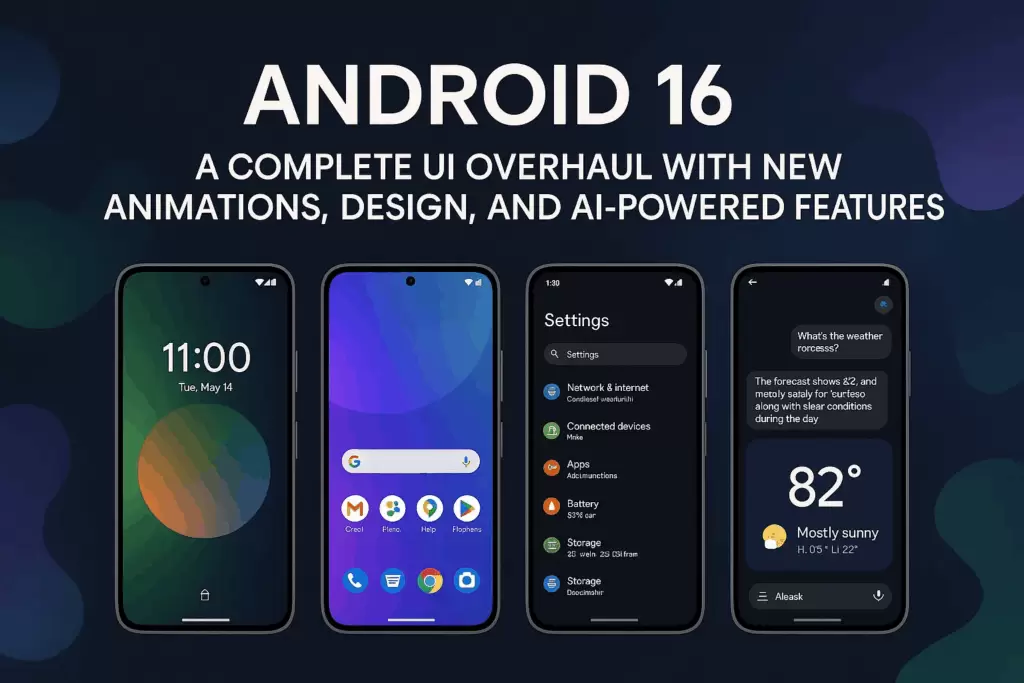
The world of mobile technology is evolving at breakneck speed, and Android 16 is leading the charge in 2025. Announced with much anticipation, Android 16 officially launched on June 10, 2025, marking one of the earliest stable releases in recent Android history.
Android 15 had amazing features and was one of the best maintained versions. So the expectations with Android 16 were to be delivered. With beta developers working on new features, users are eager to test out the new OS version.
Android 16 new features, reported bugs,
With smartphone makers building phones with a minimum 8GB RAM available, the phones have enough memory to keep Android 16 stable.
Excited for more ✨new features? Android 16 brings more helpful and streamlined notifications, multitasking tools to keep you in the flow, and new support for hearing devices. See how: https://t.co/cs2Tkoa91o
— Android (@Android) June 10, 2025
With a bold focus on on-device artificial intelligence, improved user privacy, advanced connectivity, and a more adaptive user interface, Android 16 isn’t just another update—it’s a strategic leap toward the future of mobile ecosystems.
Official Launch & Development Timeline for Android 16
- Developer Preview 1: November 19, 2024
- Developer Preview 2: December 18, 2024
- Beta 1: January 23, 2025
- Beta 2 : (Feb 13, 2025), Beta 2.1 (Feb 27), Beta 3 (Mar 13), Beta 3.1 (Mar 18), Beta 4 (Apr 17), Beta 4.1 (May 13).
- Stable Release: June 10, 2025.
This early release (June vs. previous September) accelerated the Android ecosystem’s pace.
New & Exciting Features of Android 16 for UI, UX
For those wanting the latest Android 16 experience, Pixel 6+ or eligible OEM device owners can opt into the beta or grab the OTA update now—ideal for tech‑savvy users. Others should expect stable rollout through Q3‑Q4 2025 across major brands.
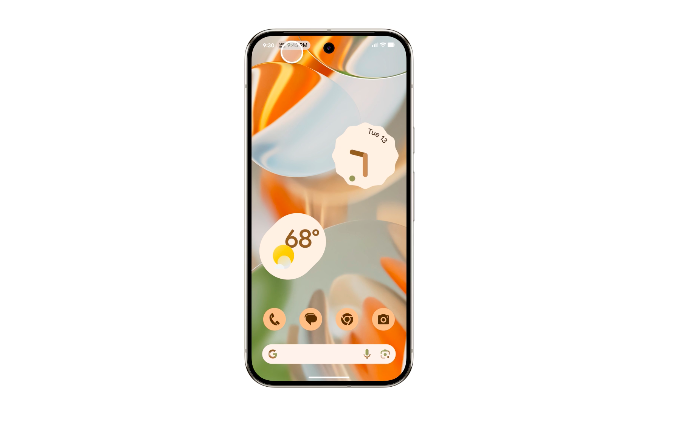
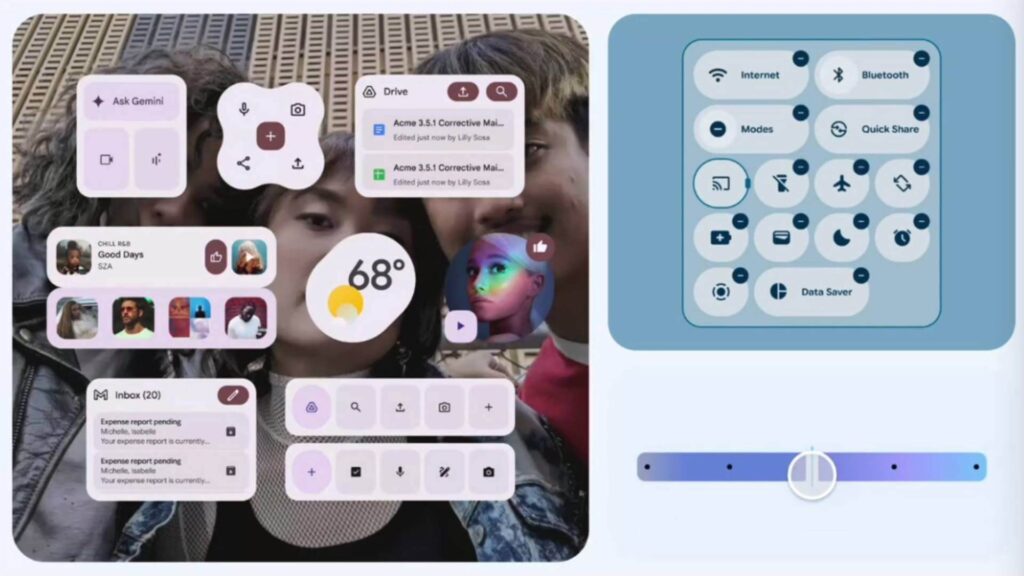
Material 3 Expressive UI (Design Evolution)
- A more animated, color-rich “Material 3 Expressive” design language debuting fully later in 2025 (Q3+).
- Early aspects rolled out in QPR1 betas: updated icon shapes, type styles & smoother animations.
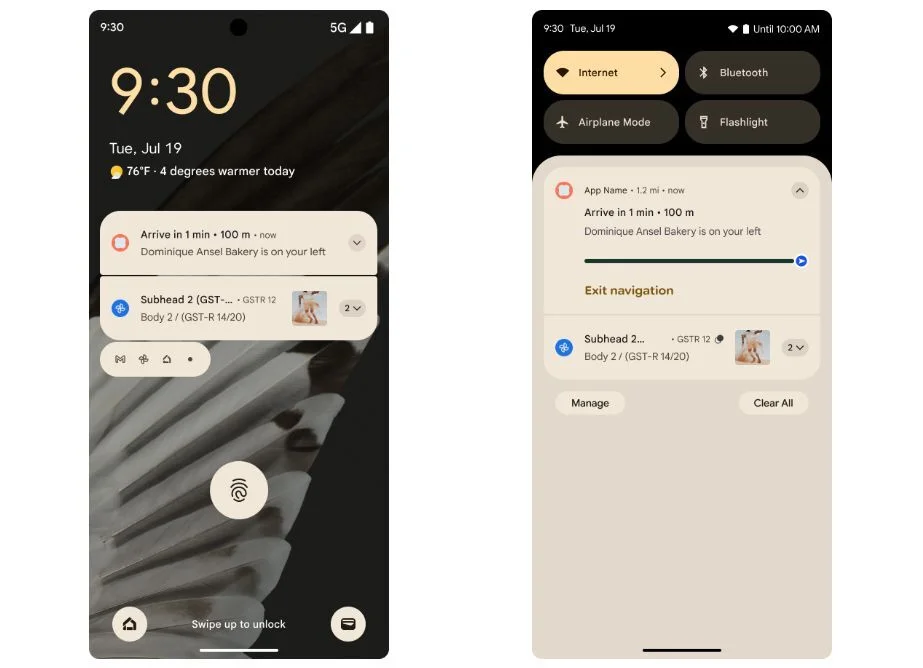
Live Updates in Notifications
- Real‑time progress notifications (e.g., delivery, navigation) shown as persistent notifications and on the AOD .
- OEM‑specific integrations: Samsung’s Now Bar, OnePlus Live Alerts.
Advanced Protection Mode
- Extends Google account protection to system‑level: memory exploit protection, USB locking, safe browsing & call/message spam filters.
On‑device AI Scam Detection
- AI‑based scam filter in Google Messages warns users about phishing messages—processing stays on‑device.
Health Connect EHR Support
- FHIR‑standard EHR support via Health Connect APIs: immunization initially, launching with potential for lab results & meds.
Auracast & LE Audio Sharing
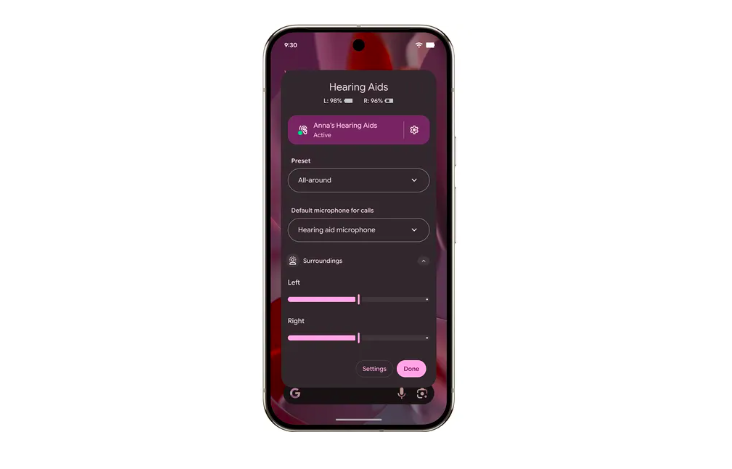
- Enables Bluetooth LE Audio Auracast broadcasting to shared audio streams (public TVs/hearing aids).
- Improved call‑mode sharing with hearing aids (mic toggle, ambient sound control) .
Better Adaptive App Support & Desktop Mode
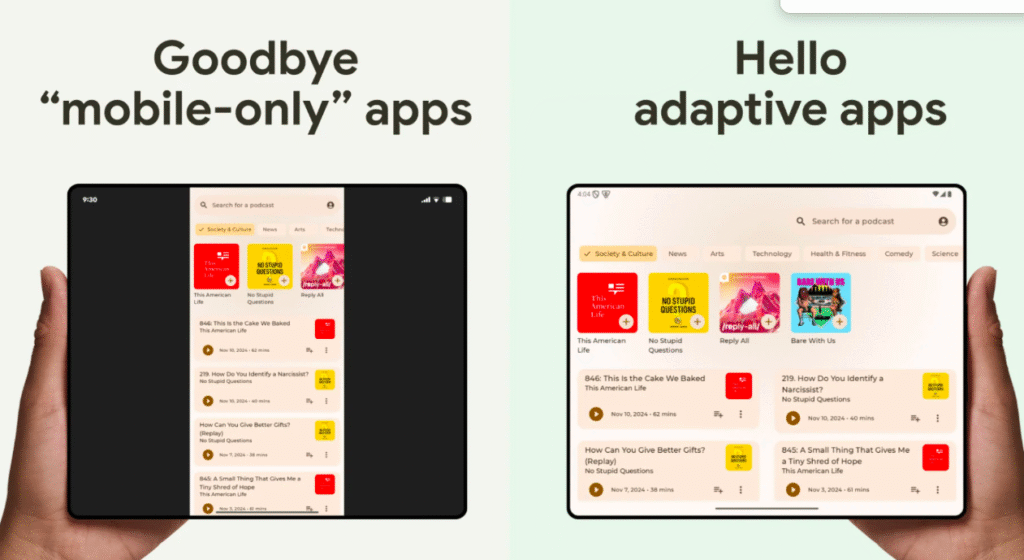
- Enforces adaptive app layouts on large screens (foldables/tablets) with forced resizable capabilities by 2026.
- Desktop windowing: external display support, multi‑window, window controls and taskbars—comparable to DeX.
Advanced Camera & Video Tools
- Professional-level APV video codec (10‑bit, YUV422, 2 Gbit/s).
- Hybrid AE, manual ISO/exposure, color temp/tint, Night Mode API and Ultra‑HDR format support.
Improved Accessibility
- Auto high‑contrast text boxes, hidden sensitive notifications, supplemental descriptions, form‑field labeling for screen readers.
Other System-Level Enhancements
- Vertical text rendering (e.g., Japanese).
- Ranging module (ultra‑wideband, Wi‑Fi RTT).
- Wi‑Fi hotspot client callbacks, adaptive refresh rates, notification cooldown.
- Quick‑Settings video chat effects (background blur, relighting, noise reduction).
- Linux Terminal with Debian VM support via AVF/KVM/“gunyah”.
Beta & QPR Feature Previews from early developers
Developer Previews (Nov/Dec ‑ 2024): exposed haptic APIs, JobScheduler improvements,Wi‑Fi 6/6z security, performance profiling. Progress-centric notifications
- Beta Releases:
- Beta 1 (Jan 23): Stable enough for daily drive on Pixel 8 Pro, but some overheating & Google Home crash issues.
- Beta 3 (Mar 13): platform‑stable APIs; some report overheating, others cold & efficient (Beta 3 on Pixel 9 Pro).
- Beta 3.1 (Mar 18): Addressed language crash, brightness, battery/performance, memory leaks .
- Beta 4 (Apr): Final bug‑fix wave; Beta 4.1 (May) preps for stable release .
How to install Android 16 on Pixel, OnePlus, OEM, devices?
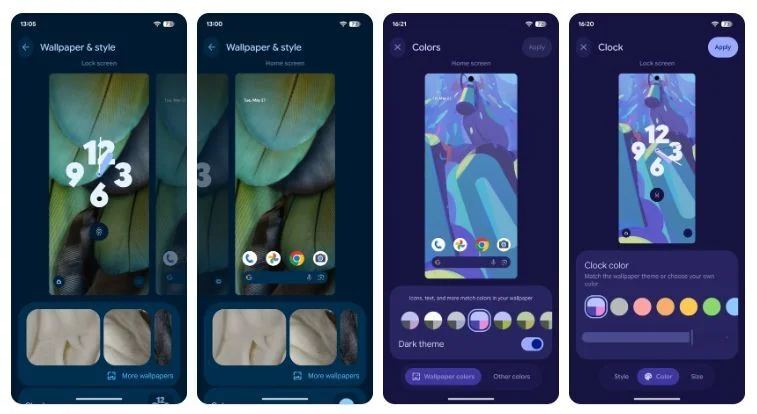
Android 16 is available exclusively for Pixel devices running Android 15 or any Pixel 6+ models. For other OEM partners who opted for early Android 16 access like Samsung, OnePlus and Xiaomi communities, the installation process is almost the same. Learn how to install Android 16 by each phone model below.
Pixel Devices (Pixel 6+)
- Settings → System → Software update → Check for update → Download and Install (OTA).
- Restore to Android 15: opt‑out via Beta Program; factory reset applies.
Partner & OEM Beta Devices
- Enroll via Android Beta Program or OEM apps (Samsung Members, OnePlus Community, Xiaomi HyperOS).
- Once opted in, receive OTA beta; fully factory-reset wn opting out.
Manual Flashing (Advanced & Developers)
- Download partner/device-specific system image from Android Developers.
- Flash using
fastboot, enabling bootloader unlock (wipe data). - Useful for emulator testing via Android Studio.
Android 16 Known Bugs & Fixes reported from early users
Although the new update looks exciting, a few users reported bugs at Android developers forum and other tech forums. These bugs were found in 3.1 and Beta 3 versions that are being patched. As Android is known to be a stable platform once the late launch updates roll out, but a few users reported battery drain issues and glitches for a few older devices.
- Google Home crash: temporarily fixed by reinstalling app.
- Battery drain & overheating in Beta 1 (“phone gets very warm”).
- Termux/Linux Terminal broken in early previews.
- Gaming/Play Games cloud save issues, fingerprint sensor oddities, occasional NFC bugs.
Stability & Performance Improvements
- There were Battery/thermal issues largely resolved by Beta 3 even though Pixel 9 Pro reported normalized temps & battery).
- Beta 3.1 fixed:
- Settings crash in non-English locales.
- Brightness oscillation.
- Battery drain & memory leak.
Beta 4 Release Notes
- Fixed weather app radar crash, haptic delays, power drain, call-related restarts, screen saver & magnification reboots.

Android 16 Beta Partners
Critical & Media Reviews for Android 16 across developer communities and Social media
Android 16, codenamed Baklava, launched on June 10, 2025, ushering in enhanced security, accessibility, AI‑driven spam detection, and foundational progress toward Material 3. Features like Live Updates and Auracast elevate everyday usability, while cam/video improvements and desktop windowing lay groundwork for future device versatility.
- Wired (June 10): Highlights refreshed design, security, accessibility, Auracast, camera tools, windowing—calls it a “chunky” overall improvement.
- The Verge: Praises Live Updates, hearing aid support; notes Material 3 redesign is delayed to Sept 3, 2025.
- India Times: Mentions Gemini AI replacing Assistant, battery-health monitoring, Quick Settings customization; calls it a major “AI + aesthetics + functionality” update.
Eligible Devices & System Requirements for installing Android 16
OEMs are onboard—with Pixel and partners leading early betas, and Samsung, OnePlus, Xiaomi, Realme, Vivo, and Motorola rolling out stability through beta and Q3/Q4 2025.
| Device Type | Eligible Models¹ | Min RAM | Req. Storage | Special HW |
|---|---|---|---|---|
| Google Pixel | Pixel 6/6a/6 Pro, 7/7a/7 Pro, 8/8 Pro | 4 GB | 64 GB+ | NPU recommended |
| Samsung | Galaxy S24/S24+/S24 Ultra, S23/S23+, Z Fold 5, Flip 5, A55/A35, M55/M15 | 4 GB+ | 64 GB+ | |
| OnePlus | OnePlus 12/12R, OnePlus 11, Nord CE 4 | 4 GB+ | 64 GB+ | |
| Xiaomi | Xiaomi 14/14 Ultra, Redmi Note 14, Pad 6 | 4 GB+ | 64 GB+ | |
| Realme | Realme GT 5 Pro, 14 Pro+, Narzo 70 5G | 4 GB+ | 64 GB+ | |
| Vivo/iQOO | Vivo X100/X100 Pro, V30 Series; iQOO 12/12 Pro, Z9 5G, iQOO Z10 Lite 5G | 4 GB+ | 64 GB+ | |
| Motorola | Edge 50 Pro, G85 | 4 GB+ | 64 GB+ | |
| Honor/Lenovo | Honor Magic 7 Pro, Lenovo flagship (select) | 4 GB+ | 64 GB+ |
Based on India rollout report; global availability may vary.
Hardware guidance:
- RAM: Minimum 4 GB for full Android 16; more allows better multitasking.
- Storage: ≥ 64 GB; more recommended for APV video & system image backups.
- NPU: Recommended for on‑device AI features (scam detection, Gemini AI).
- Large‑screen support: Foldables/tablets benefit from desktop mode & adaptive UI.
How to install Android 16 manually on old devices running Android 15 and lower
- Back up your device – especially before opting into betas.
- Opt‑in via OTA:
- Pixel: Settings → System → Software Update.
- OEM: Use Samsung Members, HyperOS Beta pages, OnePlus’s Beta enrollment, etc.
- Manual flash:
- Unlock bootloader →
fastboot flash systemwith official image from Android Developers.
- Unlock bootloader →
- Rolling back:
- Opt out via Android Beta → system wipes back to Android 15.
- Re-lock bootloader (optional).
Community feedback from reddit and official issue trackers influenced bug fixes across beta stages; by Beta 4, many early issues were addressed. Nevertheless, minor quirks (Google Home crashes, battery heat) may persist until wider QPR updates hit.
We are even more excited to test Android 16 in detail and bring all news to you. Follow DroidUncle, as we start a series on Android 16 updates as we test it further. Comment below, what you like in Android 16 and tell us your most favourite feature about the new version.
Comments
Post a Comment