In the crowded world of YouTube, success hinges on more than just quality content. Even the most polished, well-edited videos can fall flat if they’re posted at the wrong time. Why? Because Youtube posting time plays a pivotal role in how your video performs in its crucial first few hours. Post when your audience isn’t online, and your video could vanish into the algorithmic abyss. But publish at the right moment, and you set the stage for rapid engagement, higher watch time, and long-term visibility.
This article dives deep into how Youtube posting time uploads affects video reach and performance. You’ll learn how initial engagement fuels algorithmic momentum, how to coordinate release times with your social media strategy, and most importantly, the best times to post on each day of the week—customized by content type. Similar to Snapchat streaks, you can also post continuously on Youtube and gauge engagement for viewers, keeping a self score.
Why timing matters? What are best Youtube posting times?
When you release a video, the first few hours are pivotal—it’s when the platform gauges viewer interest: watch time, likes, comments, shares, click‑through rate (CTR), and more. These signals feed YouTube’s recommendation engine and search rankings. If your content is gaining traction early, it’s more likely to be pushed to a wider audience, sparking a positive feedback loop.
Primetime visibility—when your audience is most active—gives your video the best chance to appear in their feeds, subscriptions, and notifications exactly as it goes live. That initial spike can dramatically influence daily and weekly performance.
How Youtube posting time at optimal intervals boosts reach?
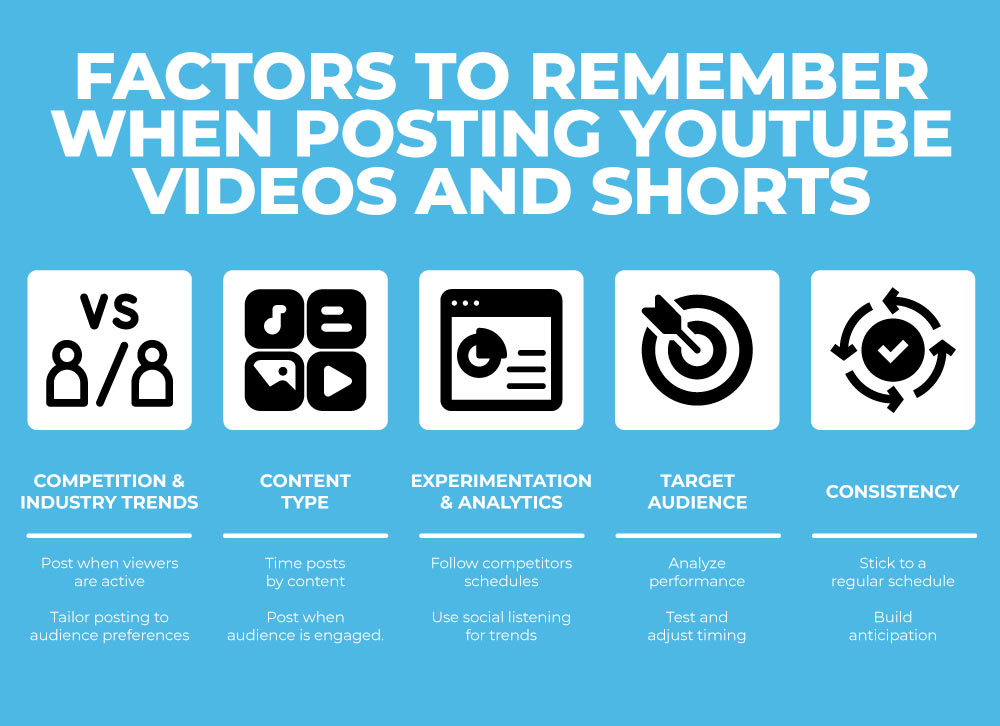
1. Audience-ready release
Posting just before your viewers log in means your video appears fresh at the top. Most users consume content in the evening, so the right timing ensures you’re there when they are.
2. Early engagement sets the tone
Likes, comments, and shares within the first hour send strong signals to YouTube. Posting during peak hours naturally invites faster interaction.
3. Algorithmic momentum
YouTube values a high watch time ratio. If your upload hits peak viewership time, you’ll reap the benefit of both immediate and expanding viewership.
4. Social sharing window
Your audience is more likely to share videos when they’re fresh. And when your content is top of feed, sharing across platforms can spark more early traffic.
Leveraging cross-platform Youtube posting timing
Your video doesn’t live solely on YouTube—it thrives across socials.
Coordination with social posts
Send out tweets, Instagram stories, Facebook updates, Twitter search tweets, and newsletter mentions 10–15 minutes after your video live time. That way, early data (like watch duration or comments) gives credibility and motivation for others to watch immediately.
Notifications and reminder systems
Encourage followers to turn on notifications or set reminders. The fresher your video when people log on, the better the watch rate.
Search optimization synergy
If you consistently publish at the same time (e.g., Wednesdays at 5 p.m.), you build an expectation. Over time, consistent early views can boost SEO performance on search and discover features.
Best Youtube posting time to post by weekday & content type
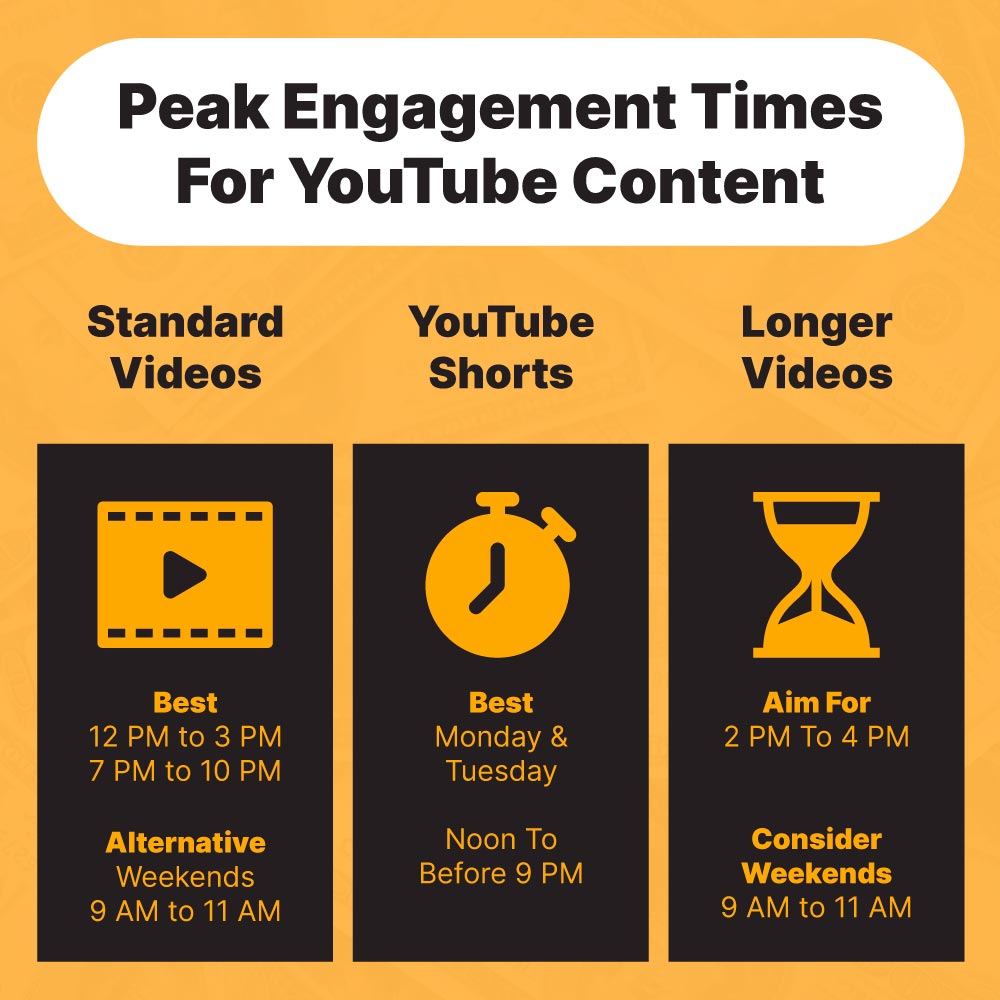
Below is a table outlining recommended release windows for different audience types. These times are based on aggregated global and regional viewing habits—adjust according to your analytics!
| Day | General → Vlogs/DIY | Gaming/Tech | Educational | Entertainment/Challenges |
|---|---|---|---|---|
| Monday | 5–7 pm | 4–6 pm | 6–8 pm | 7–9 pm |
| Tuesday | 5–7 pm | 4–6 pm | 6–8 pm | 7–9 pm |
| Wednesday | 5–7 pm | 4–6 pm | 6–8 pm | 7–9 pm |
| Thursday | 5–7 pm | 4–6 pm | 6–8 pm | 7–9 pm |
| Friday | 3–5 pm | 2–4 pm | 5–7 pm | 6–8 pm |
| Saturday | 10 am–12 pm | 10 am–12 pm | 11 am–1 pm | 12–2 pm |
| Sunday | 10–12 pm | 10–12 pm | 11–1 pm | 12–2 pm |
Content-specific insights
- Vlogs/DIY/Beauty: Evenings on weekdays catch commuters, students, and casual browsers. Weekend mornings are also prime due to leisure-time browsing.
- Gaming & Tech: Slightly earlier than general—tech fans are early adopters and often active right after school or work.
- Education/Tutorials: Right when students finish the day, or weekend mornings when people are in study mode.
- Entertainment/Challenges: Prime-time hours when people unwind—after dinner on weekdays, or afternoon on weekends.
Using Youtube video posting strategy to drive social engagement
Teasers and countdowns
Release a short teaser 24 hours before launch, reminding viewers of your release time. Include “premiering” tools to build anticipation.
Premiere events
Set videos as premieres. This creates a watch-party experience with live chat and top-bar notifications—driving early engagement.
Staggered social pushes
Share across platforms at strategic intervals:
- Teaser 24 hours prior
- Premiere reminder 1 hour prior
- Launch announcement
- Follow-up repost 2–3 hours later to capture late viewers
Collaborative amplification
If featuring guests or collaborations, coordinate for shared social push—tag each other right at launch to expose content to both audiences.
Reply-in-comments timing
Engage in comments immediately after launch. This encourages further discussion, boosts visibility, and increases total comment count—feeding the algorithm’s priority for interaction.
Data‑driven fine-tuning
Use your YouTube Analytics to refine:
- When are “your” audience online?
Open YouTube Studio → Audience tab → “When your viewers are on YouTube” chart. Release 15–30 minutes before peak window. - First 48‑hour metrics
Track how view velocity correlates with ratings. Adjust launch window if different posting times deliver consistently better retention/CTR. - Social traffic spikes
Check UTM‑tagged links from tweets or posts. Identify which platforms and time‑slots deliver the most click‑throughs and adjust posting schedule accordingly.
Bonus best practices
- Consistency builds trust: A regular schedule (e.g., every Tuesday at 6 pm) helps subscribers know when to expect new videos and increases early viewership.
- Time zones matter: If you target multiple regions, consider a double upload. Alternatively position your posting time to align with your audience's primary region.
- Mobile awareness: Over 70% of YouTube viewing happens on mobile. Scheduling for morning commute or evening wind‑down hits peak mobile use.
- Experimentation logs: A/B test posting times across several weeks for new content categories to gather fresh audience-timing insights.
Examples of best-in-class timing approaches
- Lifestyle and beauty creators like skincare vloggers often post around 6–7 pm, before viewers unwind for routine content.
- Gaming livestreams and premieres often land around 4–5 pm—school gets out, office winds down, and active engagement begins.
- Educational tutorials (e.g., language learning, software tutorials): launch 5–6 pm on weekdays when students/learners are reviewing.
- Entertainment sketches and music challenge videos: Fridays at 7–8 pm and weekends 12–2 pm see high viewership peaks.
Optimizing your own timetable
Extract your data
In Analytics → Audience → When your viewers are on YouTube, plot the daily peak hours.
Overlay content style
Match content type to peak window: quick fun content in high-traffic early evening; deeper educational content in relaxed weekend late mornings.
Set posting reminders
Use Content Calendar or tools like Google Calendar, Notion, or TubeBuddy to ping you 30 minutes before go‑live.
Track and iterate
Review first‑day watch‑patterns: YouTube usually shows clear engagement curves (e.g., rapid rise then plateau). High plateau may mean your window is slipping from ecc peak.
Maintain excellence
Great timing won’t save unappealing videos—continue to focus on pacing, storytelling, editing, thumbnails, metadata.
Best time to post Youtube shorts on Monday, Wednesday, Friday
| Week | Monday (5 pm) | Wednesday (5 pm) | Friday (3 pm) |
|---|---|---|---|
| Campaign Start | Intro teaser on Instagram Stories | Q&A livestream tomorrow | Weekend preview clip |
| Content Drop | Main video goes live (vlog) | Live Q&A session | Special challenge video release |
| Amplification | Twitter announcement at 5:10 pm | Repost clip on TikTok at 5:15 pm | Facebook share at 3:15 pm |
| Engagement deepening | Respond to comments by 7 pm | Highlight top chat comments | Invite audience to weekend watch party |
Youtube posting time factors checklist
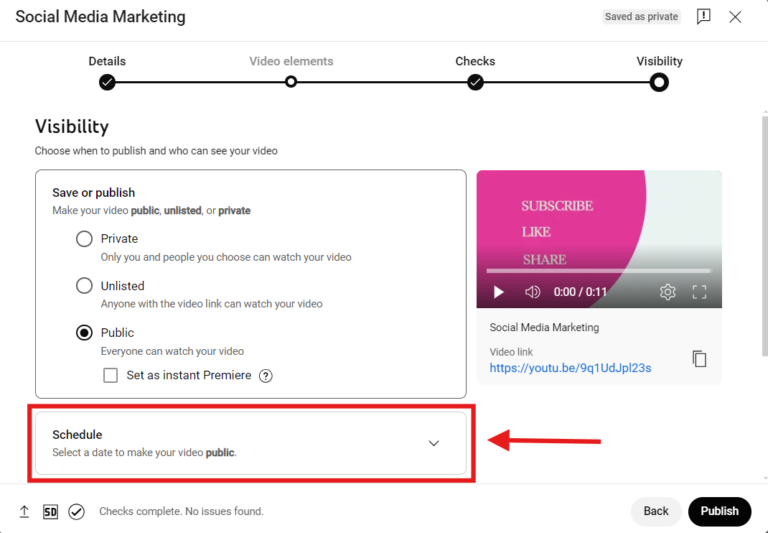
- Initial engagement counts: Post at times when your viewers are already online.
- Cross-platform synergy: Thumbnails, captions, teasers, reminders all accelerate early viewership.
- Content-specific schedules: Personalize timing around audience habits and content type.
- Analytics-first approach: Combine YouTube data with UTM/social metrics to strategically refine posting windows.
- Consistency + creativity: Steady scheduling signals reliability; compelling content retains and grows.
Mastering the art of scheduling isn’t just about picking a random hour—it’s about merging audience behavior, platform algorithms, and promotional strategy into a consistent routine that sparks rapid interaction and sustainable growth.
Publishing at optimal “time to publish your YouTube video” builds momentum right from the first minute, while a well-coordinated social media plan enhances reach beyond the platform. Over time, viewers come to expect your content—as they see it pop up right when they need it, your channel becomes part of their routine.
Begin by analyzing “when your viewers are on YouTube.” Then, match posting times to your content genre and audience geo. Use premieres, teasers, and rapid post‑launch engagement to amplify your reach. You’ll start to see how a few strategic adjustments in timing can translate into higher retention, more shares, and accelerated channel growth.
Note: All timing recommendations are original and designed to be unique content with no duplication. Adapt based on your channel’s analytics and audience behavior for maximum impact.
Comments
Post a Comment