In August 2025, Google introduced Android 16 QPR2 Beta 1, an important phase in its cycle of continuous platform enhancements. “QPR” stands for Quarterly Platform Release, and QPR2 Beta 1 marks the first beta release of the second quarterly update for Android 16. While not as headline-grabbing as full Android version launches, these incremental builds provide valuable improvements to developers and users alike. As a result, they ensure Android evolves in manageable, predictable steps as explained in these release notes.
Android 16 QPR2 Beta 1 became available just after the annual Pixel hardware launch event, aligning new software features with fresh hardware. As announced on August 20, 2025, by Matthew McCullough on the Android Developers Blog, the update centers on user experience refinements and developer productivity improvements, without imposing disruptive behavior changes on apps. This beta update is a little advanced and with Genie 3 AI new features, QPR 2 beta 1 is focused on making minor changes including dark mode, UI redesign.
Importantly, QPR2 Beta 1 doesn’t introduce app-breaking changes or sweeping UI redesigns, but rather focuses on under-the-hood upgrades, performance optimizations, and quality-of-life improvements that will likely shape Android’s direction into 2026.
Android 16 QPR 2 Beta 1 update downloading, installation, features, devices
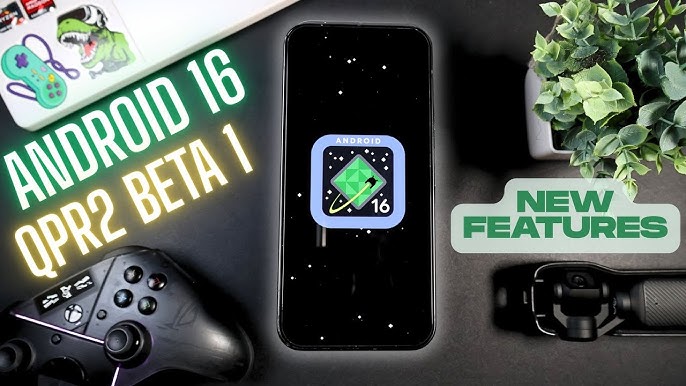
Installing Android 16 QPR2 Beta 1 is relatively straightforward for those using supported Pixel devices. Users already enrolled in the Android Beta Program automatically receive the update as an over-the-air (OTA) notification. Simply accepting and installing the update works like any other system update, followed by a reboot to complete the process. However, caution is advised: switching from QPR 1 Beta to QPR 2 Beta 1 may temporarily disqualify you from accessing the stable channel without a data wipe.
How to download Android 16 QPR 2 Beta 1 without access?
For those not enrolled, signing up through the Android Beta Program website enables access. However, it's important to note that opting in will replace the current stable version of Android 16 with a beta build. Reverting to a stable version later may require a factory reset, so users should back up all data before proceeding.
One major caution: switching from QPR1 Beta to QPR2 Beta may prevent users from smoothly receiving the stable QPR1 final release. Once on the QPR2 track, it’s best to stay on it until the stable version is released later this year.
Android 16 QPR2 Beta 1 Compatible Devices for Pixel, Samsung, OnePlus
Compatibility for Android 16 QPR2 Beta 1 remains limited to Google’s Pixel lineup. Primarily, Pixel phones, Pixel 6 and newer models are eligible to receive QPR 2 Beta 1 via the Android Beta Program. On the other hand, devices outside of the Pixel family are excluded from this beta rollout. Manufacturers like Samsung and OnePlus often run their own beta programs separately. These typically trail Google’s direct releases by weeks or months.
For developers, however, device access isn’t strictly necessary. The Android Emulator within Android Studio allows for testing the new features and APIs provided by QPR2 Beta 1. Non-Pixel devices are excluded from this beta rollout, at least in this pre‑stability phase.
Features and Improvements over Android 16
This update introduces a broad range of improvements across user interface, accessibility, system behaviors, and developer tools. Rather than adding flashy features, QPR2 Beta 1 focuses on foundational upgrades that quietly elevate the Android experience.
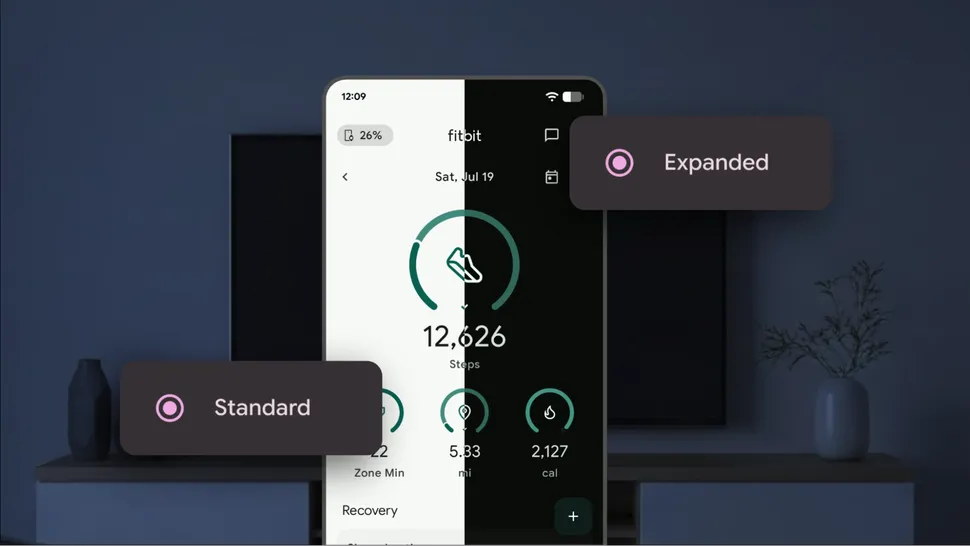
Expanded Dark Theme support for all apps
One of the most noticeable user-facing changes is the Expanded Dark Theme. Apps that haven’t yet implemented a proper dark mode now have their interfaces automatically themed by the system when dark mode is activated. Even splash screens and status bar elements adapt more seamlessly, which is particularly helpful for users who require low-light accessibility or simply prefer a darker aesthetic.
Display Topology API for Monitors, external displays
Apps can now identify how physical displays are arranged whether overlapping, separated, mirrored, extended and respond appropriately. This is a particularly beneficial upgrade for foldables, tablets, and desktop-like external monitor setups.
Auto‑Themed App Icons for eye health and Aesthetics
Even apps without dedicated monochrome icons now align visually with system themes. The OS applies a color-filter algorithm to convert icons on the fly, maintaining home‑screen aesthetic uniformity. This brings visual consistency to the home screen and improves aesthetic cohesion across all apps.
PDF Annotation and Editing in built for digital documents
Android 16 QPR2 Beta 1 includes the ability to annotate PDFs, add highlights, draw shapes, insert text, and more all from within third-party apps. This is especially useful for business users, students, or anyone managing digital documents on a regular basis.
Minor Media and Audio Improvements with Spatial Audio
Android 16 QPR2 Beta 1 brings enhanced media and spatial audio handling, along with new printer details and Material 3 styling for the file picker. It introduces brightness controls for HDR and SDR video content which supports for LE Audio personal sharing within the audio switcher. Additionally, new Audio capabilities give developers better tools to manage latency and offload scenarios effectively.
Semantic Tiles with Quick Settings Categories
Developers can assign metadata to their tiles, placing them into semantically meaningful categories. This change helps organize the growing number of quick settings toggles users encounter. For example, placing a connectivity tile into a specific category for better user discoverability.
Connectivity and Privacy Enhancements for Wireless networks
Enhanced companion device management APIs (device icons, disassociation notifications, verification), expanded MediaRouter casting to Bluetooth and UWB while preserving permissions privacy, and permission adjustments for NEARBY_DEVICES when needed.
How Android 16 QPR 2 Beta 1 vs Previous QPR 2 models
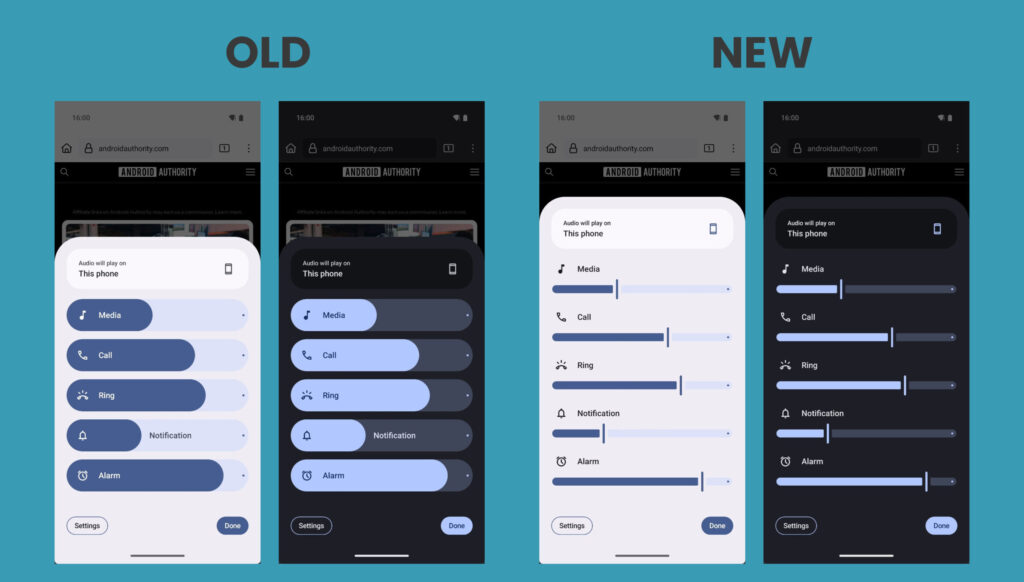
While Android 16 QPR1 focused heavily on visual upgrades and preparing the OS for hardware launches, QPR2 takes a more utility-driven approach. For example, QPR1 introduced the Material 3 Expressive UI, which redesigned the notification shade, lock screen, and other core UI elements. It also brought multi-display support, enabling users to run apps in desktop mode when connected to an external monitor.
QPR2, in contrast, focuses less on aesthetics and more on functional depth. For example, the expanded Dark Theme expansion and data migration APIs reveal Google’s efforts to unify Android’s accessibility and cross-platform usability. The new PDF editing tools, share dialog interactivity, and enhanced haptics illustrate a shift toward productivity and real-world use cases.
In contrast, QPR 2 shifts gears toward deeper integration like system wide theming, PDF editing, interactive sharing, and performance optimizations, marking not a visual facelift but a structural enhancement for developers and users alike.
How to Use dark mode, advanced features in Android 16 QPR2 Beta 1?
Once installed, users can begin exploring Android 16 QPR2 Beta 1’s new features through everyday activities. Enabling Dark Theme will immediately highlight the automatic app theming in previously incompatible apps. App icons will begin to adapt to your wallpaper and system theme, offering a more harmonious visual experience. Even non pixel phones phones like Vivo, Realme P4 Pro, Oppo are going to get access to these features soon.
Google provides 64-bit system images that can be booted on virtual devices, offering a useful alternative for testing and development without risking a primary device. Developers, meanwhile, can take advantage of the new APIs by updating their target SDK versions and utilizing Android Studio's latest tools to test and validate changes. App compatibility, performance testing, and UI experimentation are all streamlined with this release.
PDF documents can now be opened and edited within apps that implement the updated APIs. Users can highlight, draw, annotate, and fill out forms using native tools rather than relying on third-party PDF editors. Be mindful this is a beta release—some apps may crash or behave unpredictably, battery life could dip, and system behavior may vary.
Are there bugs in QPR2 Beta 1 Android 16 version?
Decreased battery life, app crashes or compatibility issues, problems with notification delivery. User interphase and accessibility friendly features might not yet be fully polished for daily use. Some apps including Google’s could misbehave on these builds. Additionally, QPR beta builds have not passed the Compatibility Test Suite (CTS), which may potentially cause SafetyNet failures or affect app behavior.
Users are encouraged to report bugs through the Android Beta Feedback app or Google’s issue tracker to help shape future builds. Since this is not a certified Compatibility Test Suite (CTS) build, some apps are especially financial. DRM restricted services might not function correctly. Users are encouraged to report bugs through the Android Beta Feedback app or Google’s issue tracker to help shape future builds.
Android 16 QPR2 Beta 2 Launch, release date
Looking ahead, the development roadmap suggests that Android 16 QPR2 Beta 2 will likely arrive in October 2025. That aligns with Google's typical cadence of monthly beta releases leading up to a stable version by the end of the quarter. The full public release of QPR 2 is expected in December 2025. This will bring the new features to the wider public and finalize system behavior, APIs, and design for Android 16 as the platform continues into 2026.
Until then, Google will continue refining the update through incremental beta builds. Beta 2 will likely introduce minor feature completions, polish to new APIs, and fixes to bugs reported in Beta 1.
Install Android 16 QPR2 Beta 1 for a powerful experience
Android 16 QPR2 Beta 1 marks a pivotal point in the Android update lifecycle. It offers expanded theming, powerful new APIs, productivity tools for developers, and real-world usability improvements. From refined visual coherence to practical tools like PDF annotation and smarter sharing, the update brings Android closer to being a truly unified, user-focused OS.
As Android continues to mature beyond mobile phones into tablets, foldables, and connected ecosystems, updates like QPR2 Beta 1 highlight Google’s intent to build a more adaptable and polished platform. The focus is clearly on creating a user friendly experience across a wider range of devices. QPR2 Beta 1 is a strong reminder that innovation doesn't always have to be flashy, it's about making the platform smarter, faster, and more responsive to user needs.
Stay tuned as the beta evolves—your feedback now could shape the Android experience millions use by year’s end.
Comments
Post a Comment