In today’s digital world, messaging apps play a big role in how we stay connected. Two popular options are Arattai, an Indian made app and WhatsApp, a global messaging giant. Both offer free texting, voice calls and file sharing, but they have key differences in features, privacy and performance.
Arattai was developed as a homegrown alternative to global apps, focusing on privacy and data protection within India. WhatsApp, owned by Meta, has a massive global user base and a long history of updates and new features. Choosing between them depends on what matters most to you whether it's innovation, data privacy or ease of use. Let’s explore how they stack up.
What is Arattai messenger?
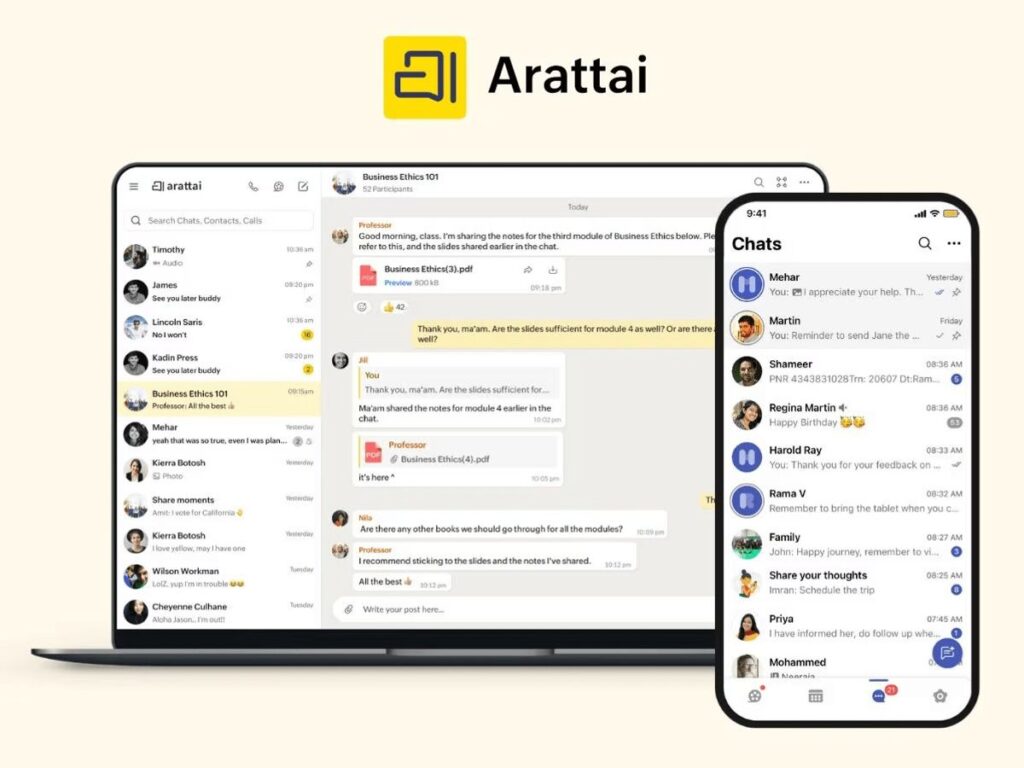
Arattai is a free messaging app developed by Zoho, an Indian software company. The word "Arattai" means casual chat in Tamil. Launched in 2021, it was created as a homegrown alternative to global apps like WhatsApp, Instagram and Snapchat. Arattai allows users to send texts, make voice and video calls, share media and create group chats. One of its key features is that user data is stored securely in India.
The app supports multi device login and offers privacy focused tools. While still growing, Arattai is becoming a popular choice for users looking for a secure, made in India communication platform.
What are the features of Arattai Messenger App?
Arattai Messenger was officially launched in January 2021 by Zoho Corporation, a well known Indian tech company. The app was introduced shortly after growing privacy concerns over WhatsApp’s updated privacy policy, which led many users in India to look for secure and reliable alternatives. Zoho saw this as an opportunity to create a homegrown messaging platform like Snapchat that focused on user privacy, data protection and local data storage. Even though Arattai was released quickly in response to demand, it has been under development for some time before its launch.
The app gained attention because it was built entirely in India, without using foreign cloud services like Amazon Web Services (AWS) or Google Cloud. All data is stored on Zoho’s own servers, located within India. This made Arattai a strong choice for users who prefer apps that support the Atmanirbhar Bharat initiative.
How to download Arattai for Android and iPhone?
As for download options, Arattai is available on both Android and iOS platforms. You can download it for free from the Google Play Store for Android devices and the Apple App Store for iPhones. The app has a clean and simple interface, making it easy to use even for first time users. It also supports installation on multiple devices users can stay logged in on up to five devices at once, including smartphones, tablets and desktops.
Download Arattai Messenger from PlayStore here.
To get started, all you need is a valid mobile number to register. Once verified, you can begin chatting, making calls and sharing files with your contacts instantly. Arattai also supports app updates regularly to improve performance, fix bugs and add new features, ensuring users get a smooth and secure messaging experience.
Which app is better Arattai or WhatsApp?
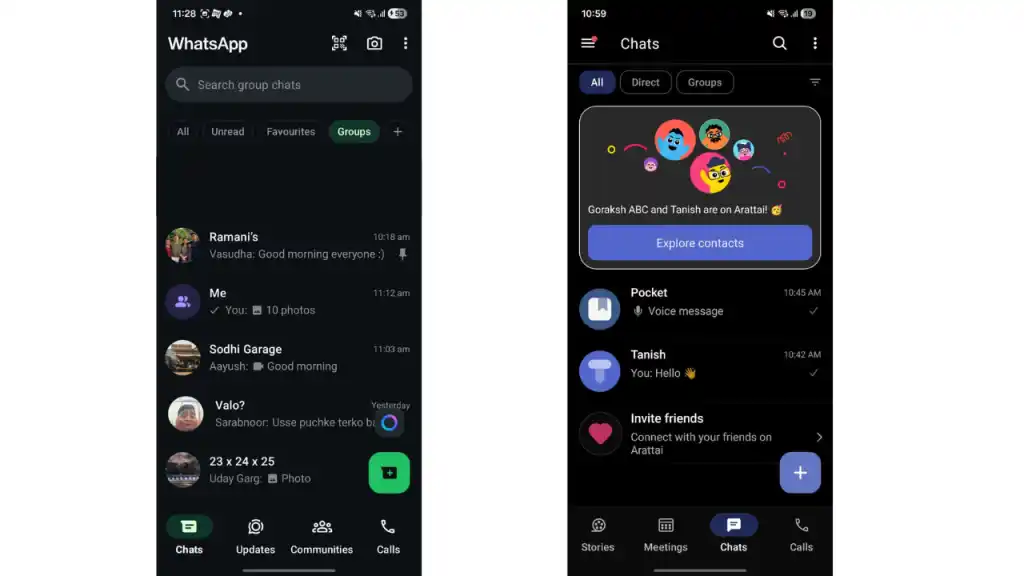
Both Arattai and WhatsApp are popular messaging apps, but they offer different features that reflect their goals and user base. WhatsApp, owned by Meta, is a global leader with a long list of features and strong end-to-end encryption by default. It focuses on a seamless experience, business tools, and wide device compatibility. The company also stated that it doesn't want to be a monopoly and wants the users to choose their preferred platform.
On the other hand, Arattai, developed by India’s Zoho Corporation, is a growing, privacy focused platform designed for Indian users. It includes unique features like “Meetings” and “Pocket” for storage, along with a promise of local data protection. Let’s compare their features side by side.
| Feature | Arattai | |
|---|---|---|
| Text Messaging | Yes; media, documents, voice notes; partial encryption (secret chats) | Yes; full end-to-end encryption by default |
| Voice & Video Calls | Yes; end-to-end encrypted | Yes; end-to-end encrypted |
| Group Chats & Broadcasts | Yes; large groups, channels, broadcast messages | Yes; group chats, broadcast lists, business channels |
| Multi-Device Support | Up to 5 devices (phone, tablet, desktop) | Mobile + web + desktop; limited multi-device linking |
| Meetings (Scheduled Video Calls) | Yes; meetings feature with scheduling | No dedicated meetings feature |
| Personal Storage (Pocket) | Yes; cloud storage for media and messages | Limited “chat with yourself” feature |
| Privacy & Data Location | Data stored in India; voice/video calls encrypted; text chat encryption in progress | Global servers; default end-to-end encryption; owned by Meta with some data-sharing concerns |
| Optimized for Low-End Devices | Yes; lighter app, low bandwidth support | Feature-rich but more resource-intensive |
| Advertisements | No ads; no data monetization | Ads present in some regions; data used for ads |
What are the Pros and Cons of Arattai App?
Arattai is a new messaging app from India that focuses on privacy and ease of use. While it offers unique features and strong data protection, it still has some limitations compared to more established apps like WhatsApp. Let’s explore its pros and cons.
Pros:
- Made in India: Data is stored on Indian servers, which supports data privacy and digital sovereignty.
- Free and Ad-Free: No ads or hidden costs, providing a clean user experience.
- Multi-Device Support: Can use on up to five devices simultaneously, including phones, tablets, and desktops.
- Unique Features: Offers “Meetings” for scheduled video calls and “Pocket” for personal cloud storage.
- Lightweight and Fast: Works well on low end devices and slow internet connections.
- Privacy Focused: Voice and video calls are end-to-end encrypted and more chat encryption features are coming soon.
Cons:
- Incomplete Encryption: Text messages are not yet fully end-to-end encrypted by default, unlike WhatsApp.
- Smaller User Base: Less popular than WhatsApp, so fewer contacts might be available on the platform.
- Limited Business Tools: Does not yet offer advanced business features like WhatsApp Business.
- Still Growing: As a newer app, some features are still under development and may lack polish or wide adoption.
- No Backup Ecosystem: Lacks the extensive backup options that WhatsApp provides for chats and media.
Which messaging app is best in 2025?
Choosing the best messaging app between Arattai and WhatsApp in 2025 depends on your priorities. WhatsApp remains the world’s most popular messenger with over two billion users. It offers reliable end-to-end encryption by default, a rich set of features including voice and video calls, group chats, business tools and easy backups. Its global reach makes it the go to app for many.
Arattai, on the other hand, is a newer, India made app developed by Zoho Corporation. It focuses on privacy and data sovereignty by storing user data on Indian servers. Arattai offers unique features like scheduled video meetings, personal cloud storage called “Pocket,” and supports up to five devices simultaneously. It is lightweight and works well on slower networks and low-end devices, making it ideal for users in regions with limited connectivity.
However, Arattai’s text messaging encryption is still developing and its smaller user base limits communication if your contacts don’t use it. WhatsApp’s mature ecosystem and stronger encryption give it an edge for everyday use.
Choosing Between Arattai and WhatsApp for Users
Choosing between Arattai and WhatsApp or other social media apps depends on your personal needs and preferences. Both apps offer reliable messaging and calling features, but they differ in their approach to privacy, user base, and additional functions. Arattai is ideal if you value a lightweight app with local data storage and innovative features tailored for Indian users.
WhatsApp remains a strong choice for those looking for a widely adopted platform with robust security and extensive functionality. Consider what matters most to you whether it’s privacy, ease of use or connectivity before making your decision.
Comments
Post a Comment